
UAE Market Entry IT Checklist: What Companies Need Before Opening a Dubai Office
Opening a Dubai office? Use this UAE market entry IT checklist to plan internet, cabling, WiFi, firewall, Microsoft 365, VoIP, devices, and support.

Dubaitech
New Office IT Setup Team
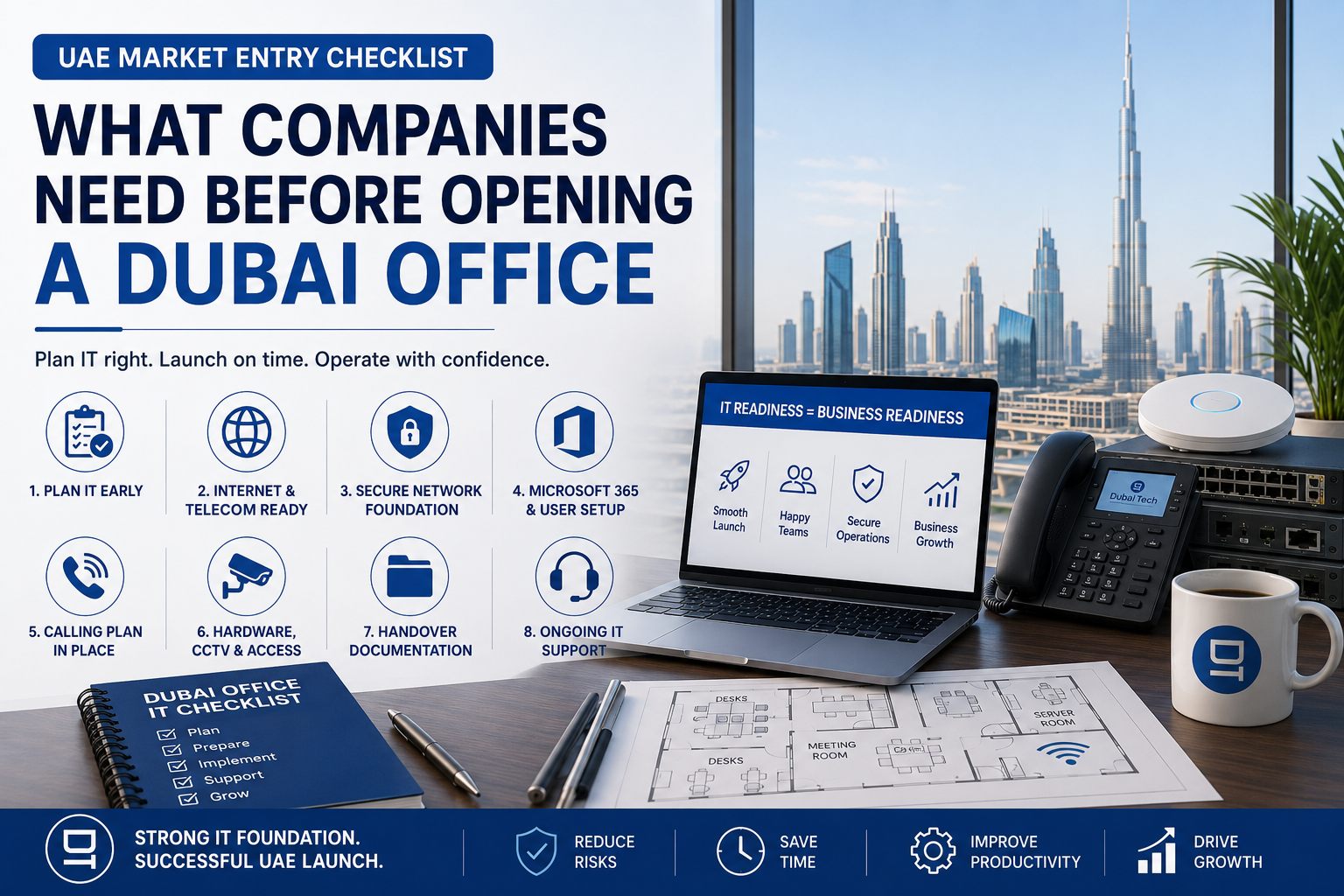
UAE Market Entry IT Checklist: What Companies Need Before Opening a Dubai Office
When international companies enter the UAE market, the first conversations usually focus on licensing, legal structure, visas, banking, office lease, and compliance. Those steps are essential, but they do not make an office operational.
Your team also needs internet, structured cabling, secure WiFi, firewall policies, Microsoft 365, laptops, printers, meeting rooms, VoIP, CCTV, access control, backups, and ongoing support. If these items are left until the final week, the office may be legally ready but practically unusable.
This checklist is for founders, operations managers, overseas IT teams, business setup consultants, and companies expanding into Dubai or the wider UAE.
1. Start IT Planning Before the Fit-Out Begins
The best time to plan office IT is before walls, ceilings, glass partitions, and furniture are finalized. Once the fit-out is complete, every missed network point becomes slower and more expensive to fix.
Before signing off the office layout, confirm:
- Number of staff on day one and expected headcount after 6 to 12 months.
- Desk locations, meeting rooms, reception, manager cabins, printer areas, and server rack location.
- Power sockets, floor boxes, cable routes, and ceiling access.
- WiFi coverage requirements for employees, guests, meeting rooms, and shared areas.
- CCTV, access control, and door controller locations.
If your head office is outside the UAE, ask your local IT partner to review the floor plan and mark cabling, WiFi, rack, firewall, and printer locations before the fit-out contractor starts work.
Dubaitech supports this through new office IT setup in Dubai, including coordination with overseas teams and local contractors.
2. Confirm Internet and Telecom Lead Times
Internet activation can become one of the biggest causes of office launch delays. Availability and lead time depend on the building, provider, required bandwidth, and existing infrastructure.
Check these early:
- Whether Etisalat or du fiber is available in the building.
- Expected activation timeline.
- Static IP requirements for VPN, firewall, servers, or remote access.
- Backup internet options such as 5G failover.
- SIP trunk or business phone number requirements.
- Whether the office needs Teams calling, VoIP PBX, or a traditional phone system.
If your business relies on Microsoft Teams, consider whether Microsoft Teams Direct Routing should be part of the launch plan. This allows users to make and receive business calls from Teams using proper company numbers.
3. Build a Secure Network Foundation
A new Dubai office should not start with a basic consumer router and unmanaged WiFi. The network is the foundation for your business applications, calls, meetings, printers, cloud access, and cybersecurity.
Your office network plan should include:
- Business-grade firewall.
- Managed switches.
- VLANs for users, guests, voice, CCTV, and management where needed.
- Enterprise WiFi access points.
- Guest WiFi separation.
- VPN or secure remote access.
- DNS filtering and security policies.
- Network diagram and admin documentation.
If the office will host finance, legal, healthcare, engineering, or customer data, involve IT security early. A clean network design is much easier than fixing security gaps after users have already started work.
4. Prepare Microsoft 365, Email, and User Onboarding
For many UAE market-entry projects, Microsoft 365 becomes the first production system. It controls email, Teams, SharePoint, OneDrive, calendars, documents, user access, and sometimes device management.
Before launch, prepare:
- Domain verification and DNS records.
- Email migration plan.
- User accounts and groups.
- MFA and conditional access.
- Teams channels and meeting policies.
- Shared mailboxes and distribution groups.
- SharePoint and OneDrive structure.
- Admin roles and recovery methods.
- Device security and backup policies.
This work should be completed before employees arrive. Day one should be for onboarding, not emergency account creation.
5. Decide How Calls Will Work
Every new office needs a clear calling plan. Depending on the business, this may be simple or complex.
Decide:
- Do you need a reception number?
- Will employees call from desk phones, mobile apps, Teams, or softphones?
- Do you need call queues, IVR, voicemail, or call recording?
- Are there existing international numbers to keep?
- Do sales and support teams need direct numbers?
- Should calls route differently after business hours?
For smaller teams, a cloud VoIP setup may be enough. For companies already using Microsoft Teams, Teams Direct Routing can provide a single app for chat, meetings, and calls. For more complex operations, a VoIP PBX system in Dubai may be needed.
6. Plan Hardware, Printers, CCTV, and Access Control
Office IT is more than laptops. A complete launch plan should include:
- Laptops, desktops, monitors, docks, keyboards, and mice.
- Printers and scanners.
- Meeting-room camera, microphone, speaker, and display.
- Firewall, switches, rack, UPS, and access points.
- IP phones or headsets.
- CCTV cameras, NVR, and storage.
- Access control, biometrics, or smart locks.
- Asset register and warranty details.
Standardizing hardware makes support easier. If every laptop, printer, access point, and phone is purchased randomly, troubleshooting becomes slower and support costs rise.
7. Prepare the Day-One Handover Pack
Before the office goes live, request a proper handover pack. This is especially important for companies whose regional IT team is outside the UAE.
Your handover should include:
- Network diagram.
- IP address plan.
- WiFi SSIDs and guest access process.
- Firewall and switch details.
- Microsoft 365 admin notes.
- Asset register.
- ISP, telecom, hardware, and warranty contacts.
- Backup and disaster recovery notes.
- CCTV and access control details.
- Ongoing support contact and escalation process.
This documentation turns the office from a one-time installation into a manageable environment.
8. Arrange Ongoing Support Before Launch
Even a perfectly installed office needs support after launch. New users will have questions, printers may need adjustment, WiFi coverage may need tuning, and vendors may need coordination.
Before opening day, decide:
- Who supports users?
- Who monitors firewall, WiFi, backups, and Microsoft 365?
- What is the SLA for urgent issues?
- Who manages new joiners and leavers?
- Who handles security patches and endpoint protection?
- Who owns documentation updates?
Many companies use an IT AMC Dubai plan after the initial setup. This gives them predictable support, monitoring, maintenance, and escalation without hiring an internal IT team immediately.
Final Recommendation
If you are entering the UAE market, treat IT infrastructure as part of the market-entry plan, not as an afterthought. Licensing and office lease get you permission to operate; IT readiness allows your team to actually work.
The safest approach is to start IT planning as soon as the office layout is available. Coordinate with the fit-out contractor, ISP, telecom provider, Microsoft 365 admin, and local IT partner before the launch date is fixed.
Use our Dubai Office IT Readiness Checklist to plan the essentials, or speak to Dubaitech about complete office IT infrastructure setup for your UAE expansion.
Need help applying this in your business?
Dubaitech helps UAE businesses turn IT guidance into secure, reliable infrastructure with practical support from certified engineers.
Google Preferred Sources
Prefer Dubaitech on Google
Choose Dubaitech once to help Google surface our latest UAE IT guides when relevant.