From CCTV Recording to Real-Time Intelligence: AI Video Analytics for UAE Businesses
Learn how AI video analytics turns CCTV into real-time alerts, centralized monitoring and operational insight for UAE businesses, with practical guidance.

Dubaitech
ICT Solutions Specialist
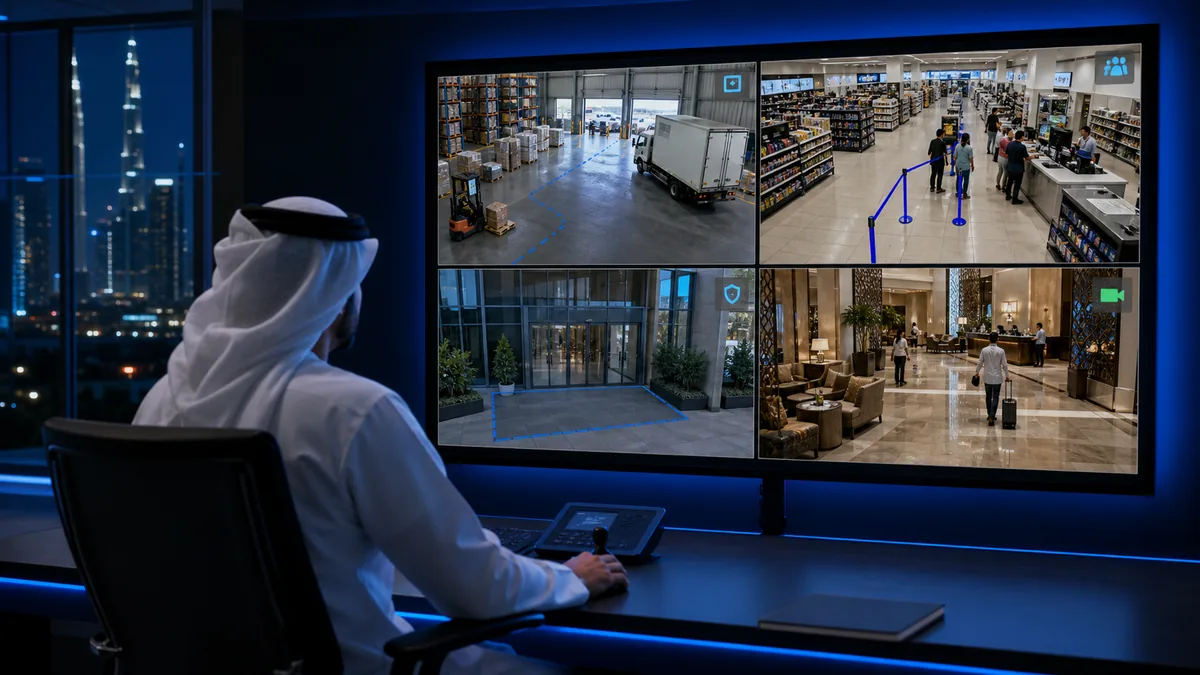
Most CCTV systems are very good at recording what happened. When an incident occurs, an authorized user searches through the footage, identifies the relevant time and camera, and tries to reconstruct the event.
That process is useful, but it is reactive. It often begins after a loss, safety concern or operational problem has already occurred.
AI video analytics adds a more proactive layer. It evaluates video for defined events, such as movement in a restricted zone, an unusual queue, a camera obstruction or activity outside operating hours. When the rule is triggered, the system can bring the relevant footage to an authorized user's attention.
For UAE organizations operating stores, warehouses, offices, hotels, commercial buildings or industrial sites, this can turn separate cameras into a centrally managed security and operations platform.
What is AI video analytics?
AI video analytics is software that examines live or recorded video to identify selected objects, movements or conditions. Instead of expecting a person to watch every screen continuously, the system filters activity according to rules created for the site and business use case.
Depending on the approved configuration, those rules may identify:
- Entry into a restricted or hazardous area.
- Movement across a virtual boundary.
- Activity outside defined operating hours.
- Changes in occupancy or visitor flow.
- Queues that exceed an agreed threshold.
- Vehicle movement at an entrance, yard or loading area.
- A camera that has been covered, moved or disconnected.
- Selected workplace safety conditions when the camera view is suitable.
When the platform detects a matching event, it can show the associated camera, create an alert and start a defined review or escalation process. The user remains responsible for assessing the situation and deciding what to do next.
Traditional CCTV and AI video analytics are not the same
Traditional CCTV remains an important source of recorded evidence. AI analytics does not remove that function; it adds event detection and prioritization.
| Traditional CCTV | AI-enabled video monitoring |
|---|---|
| Primarily records video for later review | Evaluates video for selected events |
| Depends heavily on continuous viewing or manual search | Directs attention to relevant cameras and time periods |
| Often managed separately at each location | Can provide centralized visibility across approved sites |
| Shows what the camera captured | Can create alerts and support response workflows |
| Usually used mainly for security | Can also support selected safety and operational use cases |
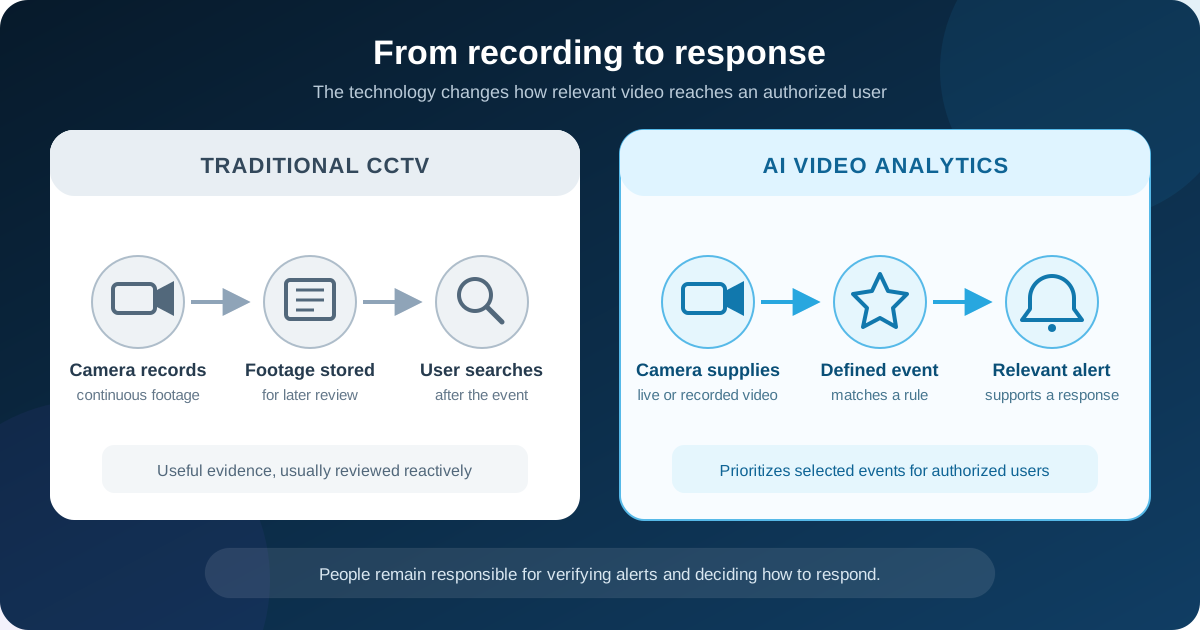
The value does not come from attaching AI to every camera. It comes from choosing a small number of important events, placing cameras correctly and ensuring that somebody has a clear process for responding to each alert.
Five ways UAE businesses can use video more effectively
1. Respond to important events sooner
Restricted-zone entry, perimeter movement and selected after-hours activity can be brought to the right team's attention while the event is still relevant.
Alert design matters. If every movement produces a notification, users may begin ignoring the system. A well-designed deployment focuses on meaningful events, defines who receives each alert and improves the rules during pilot testing.
2. Manage multiple locations from one platform
Businesses often inherit a different CCTV setup at every branch. Each system may have separate passwords, storage, interfaces and support arrangements.
A centralized video management system can give authorized users one controlled view across stores, offices, warehouses or properties. Permissions can be limited by role, location and responsibility so that users see only what they need.
3. Use video for operational insight
Where the purpose is appropriate and clearly defined, video can support more than security. Analytics may help an organization understand:
- Visitor volumes and entry or exit patterns.
- Queue formation and service pressure.
- Occupancy in selected areas.
- Loading-zone and vehicle activity.
- Availability and health of cameras.
- Repeated movement patterns in operational spaces.
These insights can support staffing, facilities planning and service improvement. They should be collected and used only with suitable privacy, access and retention controls.
4. Reuse compatible existing cameras
Introducing analytics does not always mean replacing every camera.
A readiness assessment can identify which existing IP cameras provide suitable video streams, resolution, frame rate, viewing angles and night-time performance. Cameras that meet the intended use case may be retained. Others may need repositioning, better lighting or selective replacement.
The assessment should also examine recorders, available bandwidth, storage, firmware, cybersecurity and network segmentation. Protocol compatibility alone does not guarantee that a camera can deliver reliable results for every analytics use case.
5. Connect alerts to a real response process
An alert has little value if nobody owns it. Before deployment, the organization should decide:
- Who receives each category of alert?
- What information should be displayed?
- How quickly should the event be reviewed?
- When should it be escalated?
- How will actions and outcomes be recorded?
This turns video analytics from a demonstration feature into a usable operating process.
Practical AI CCTV use cases by industry
Retail and chain stores
Retail groups can centralize branch visibility, monitor queue conditions, understand visitor patterns and configure alerts for selected restricted areas. The same platform can help head-office teams check camera health across multiple stores.
Warehousing and logistics
Warehouses can monitor entrances, yards, loading areas and controlled zones. Depending on site conditions, validated analytics may also support selected vehicle and workplace-safety workflows.
Hotels and hospitality groups
Authorized teams can manage video from entrances, reception areas, service zones and multiple properties through location-based access permissions. Events can be directed to the appropriate property or central team.
Offices and commercial buildings
Facilities teams can use centralized monitoring for entrances, shared areas and selected after-hours or restricted-zone events across one or more buildings.
Manufacturing and industrial sites
Analytics can support perimeter awareness, controlled-area monitoring and selected personal protective equipment use cases when camera position, visibility and operating conditions have been validated.
AI-generated alerts should complement, not replace, certified fire detection, access control, life-safety systems, established procedures or trained personnel.
Can AI analytics work with an existing CCTV system?
Often, yes, but the answer depends on the intended analytics.
A camera that is adequate for general recording may not provide the detail needed for a more demanding use case. A wide-angle camera mounted high above an entrance, for example, may show general movement but may not provide the view required for accurate identification or vehicle-related analysis.
A proper camera-readiness review should consider:
- Resolution, frame rate and compression.
- Camera angle, mounting height and field of view.
- Day and night lighting conditions.
- Obstructions, reflections and environmental movement.
- Supported streams and integration methods.
- Recorder and storage compatibility.
- Network capacity and resilience.
- Firmware condition and device security.
The aim is to keep equipment that is suitable, improve weak points and avoid unnecessary replacement.
Edge, on-premises, cloud or hybrid: which model is right?
There is no single deployment model that fits every organization.
Edge processing performs selected analysis close to the camera or at the site. It may be appropriate where low latency, reduced upstream bandwidth or local operation is important.
On-premises or private-cloud deployment gives an organization dedicated infrastructure and greater control over configuration, storage and access. It also creates responsibilities for capacity, resilience, patching and maintenance.
Cloud-managed video can simplify centralized access and expansion across distributed locations. The design must account for connectivity, bandwidth, security, retention and applicable data requirements.
Hybrid architecture can combine local recording or processing with centralized management, alerts and selected cloud services.
The decision should follow a review of camera count, video retention, internet connectivity, cybersecurity, privacy, business continuity and support responsibilities.
Privacy and compliance should be designed from the start
Video footage can contain images of identifiable individuals and may therefore involve personal data. Identity-related analytics, including some biometric use cases, require additional care.
The UAE's Personal Data Protection Law establishes a federal framework for processing and protecting personal data, including requirements relating to purpose, security and data-subject rights. Other local, free-zone and sector-specific rules may also apply.
Organizations planning video analytics should define:
- The specific purpose for collecting and analyzing video.
- The legal and organizational basis for that use.
- Who can access live views, recordings and event data.
- Where the data will be processed and stored.
- How long footage and analytics records will be retained.
- How access will be authenticated, logged and reviewed.
- How required notices and requests will be handled.
- How recordings will be securely deleted when retention ends.
Security systems and equipment in Dubai may also be subject to Security Industry Regulatory Agency requirements. The applicable licensing, provider, product and approval conditions should be confirmed for the particular project through SIRA's official services and guidance.
Facial recognition, number-plate recognition and other identity-related functions should be considered only after appropriate legal, privacy, security and authority review. This article provides general technical information and is not legal advice.
How to plan a successful video analytics pilot
Start with a business problem rather than a catalogue of algorithms.
A practical pilot normally includes:
- One location or a controlled group of cameras.
- Two or three clearly defined events to detect.
- A documented alert and response workflow.
- Agreed user roles and access permissions.
- Testing across realistic lighting and operating conditions.
- A review of false alerts and missed events.
- Success criteria for accuracy, usability and response.
- A decision on whether to adjust, expand or stop the use case.
Camera position, lighting, obstructions, image quality and environmental conditions all affect results. Testing at the actual site is more valuable than relying only on a controlled product demonstration.
Questions to ask an AI video analytics provider
Before selecting a solution, ask:
- Which existing cameras can be reused for the proposed use cases?
- Where will video and analytics data be processed and stored?
- What continues working if site connectivity is interrupted?
- How are users, permissions, audit logs and data retention managed?
- How will alert performance be tested and tuned?
- Who is responsible for the cameras, network, storage, platform and analytics?
- Can the system expand to additional sites without creating separate management silos?
- Which licenses, approvals or compliance reviews may be required?
- What training, maintenance and support are included after handover?
A strong proposal should address the entire operating environment, not only the analytics software.
Frequently asked questions
What is the difference between CCTV and AI video analytics?
CCTV records live or historical video. AI video analytics evaluates the video for defined events and can notify an authorized user when a rule is triggered. The two functions normally work together.
Do we need to replace our existing CCTV cameras?
Not necessarily. Compatible IP cameras may be reusable if their video quality, stream, position, security and reliability meet the selected analytics requirements. A site and camera assessment is needed before compatibility can be confirmed.
Can one platform monitor CCTV across multiple branches?
Yes. A centralized video management platform can provide approved users with live views, recordings, events and camera-health information from multiple locations. Access can be restricted by user role and site.
Does AI video analytics replace security personnel?
No. It helps personnel prioritize events and find relevant footage. Authorized people remain responsible for verifying alerts, making decisions and following the organization's response procedures.
Is cloud deployment required for AI CCTV?
No. Analytics can be deployed at the edge, on local infrastructure, in a private or public cloud, or through a hybrid model. The right option depends on the use case, connectivity, storage, cybersecurity, privacy and operational requirements.
How much does an AI video analytics solution cost in the UAE?
Cost depends on the number and condition of cameras, analytics selected, storage and retention, deployment model, network upgrades, integrations and support requirements. An assessment is needed to produce a reliable scope and quotation.
Move from passive recording to useful video intelligence
AI video analytics can help UAE organizations progress from passive recording to event-based monitoring, centralized visibility and better-informed response.
The right starting point is a structured assessment of the current CCTV environment, important events, users, network, storage, cybersecurity and privacy requirements. That assessment can identify a realistic pilot, show which cameras can be reused and establish how alerts will be handled before a wider rollout.
Explore Dubaitech's AI Video Analytics & Smart Surveillance Solutions or contact the Dubaitech team to request a video analytics assessment for your UAE business.
Need help applying this in your business?
Dubaitech helps UAE businesses turn IT guidance into secure, reliable infrastructure with practical support from certified engineers.
Google Preferred Sources
Prefer Dubaitech on Google
Choose Dubaitech once to help Google surface our latest UAE IT guides when relevant.